1 Quick description
The fittarget function allows to hit a target or trajectory for a defined variable, varying the rest of the variables in the model.
1.1 When to use fittarget
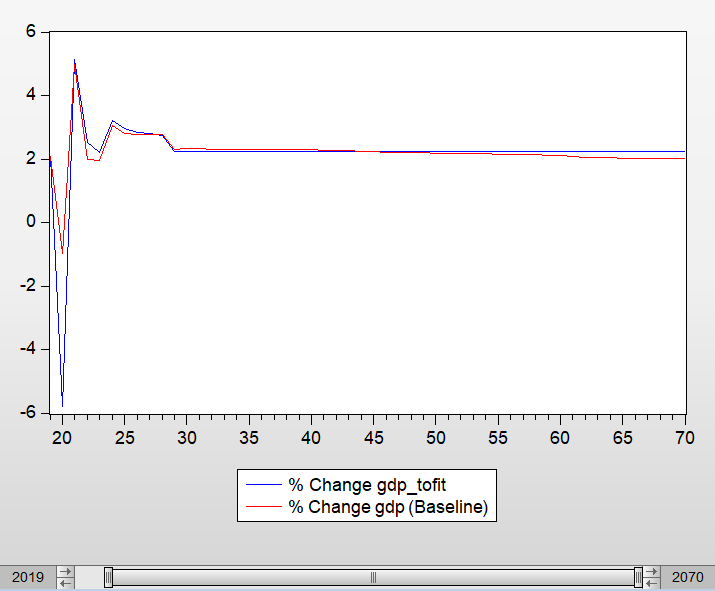
To give an example, we can see in the following image the evolution of the gdp for the baseline. We aim to reach the trajectory of the exogenous variable gdp_tofit. We can use the fittarget function to do so.
2 Step by step procedure
- Run a shock and save the workfile
Run a shock from the main file as usual, making sure that the workfile is saved.
- Open the Eviews workfile
Open the Eviews workfile (.wf1), which is automatically saved in the folder ThreeME-STATEC/results/eviews.
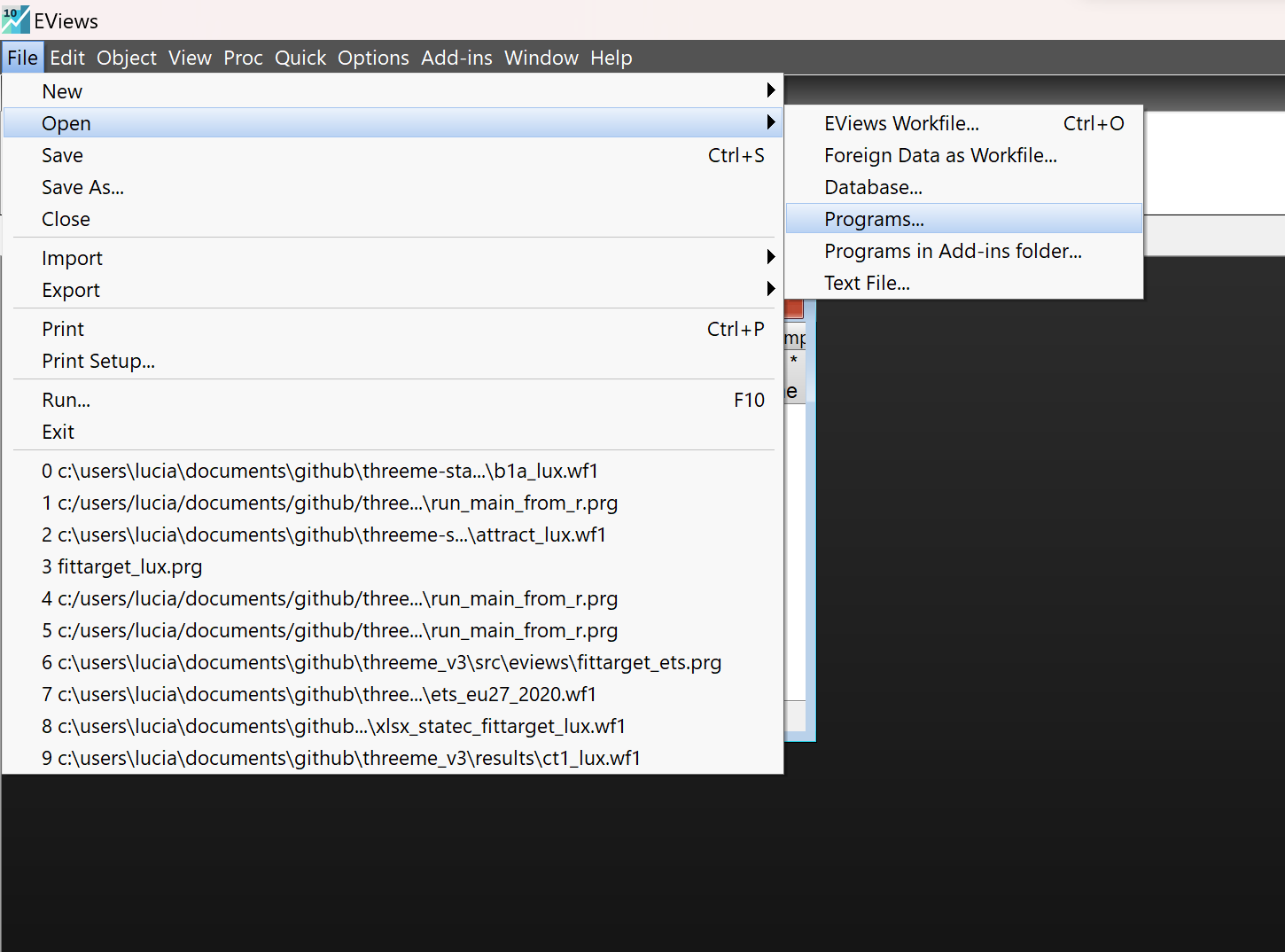
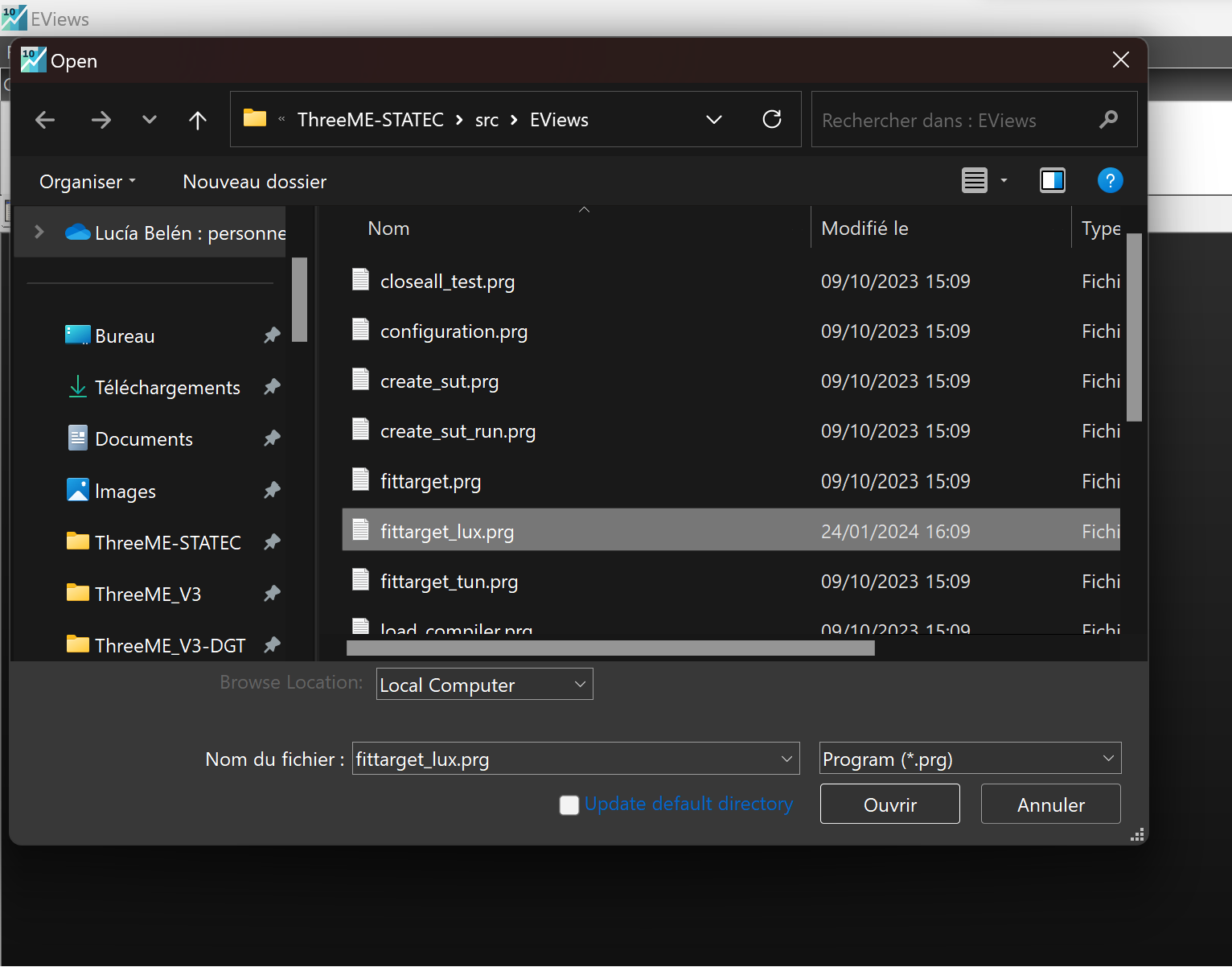
- Open the fittarget program
Open the fittarget program from the Eviews workfile (File > Open > Programs). The Eviews programs can be found in the folder ThreeME-STATEC/src/Eviews. You need to prepare this file in advance specifying the variable or variables to fit.
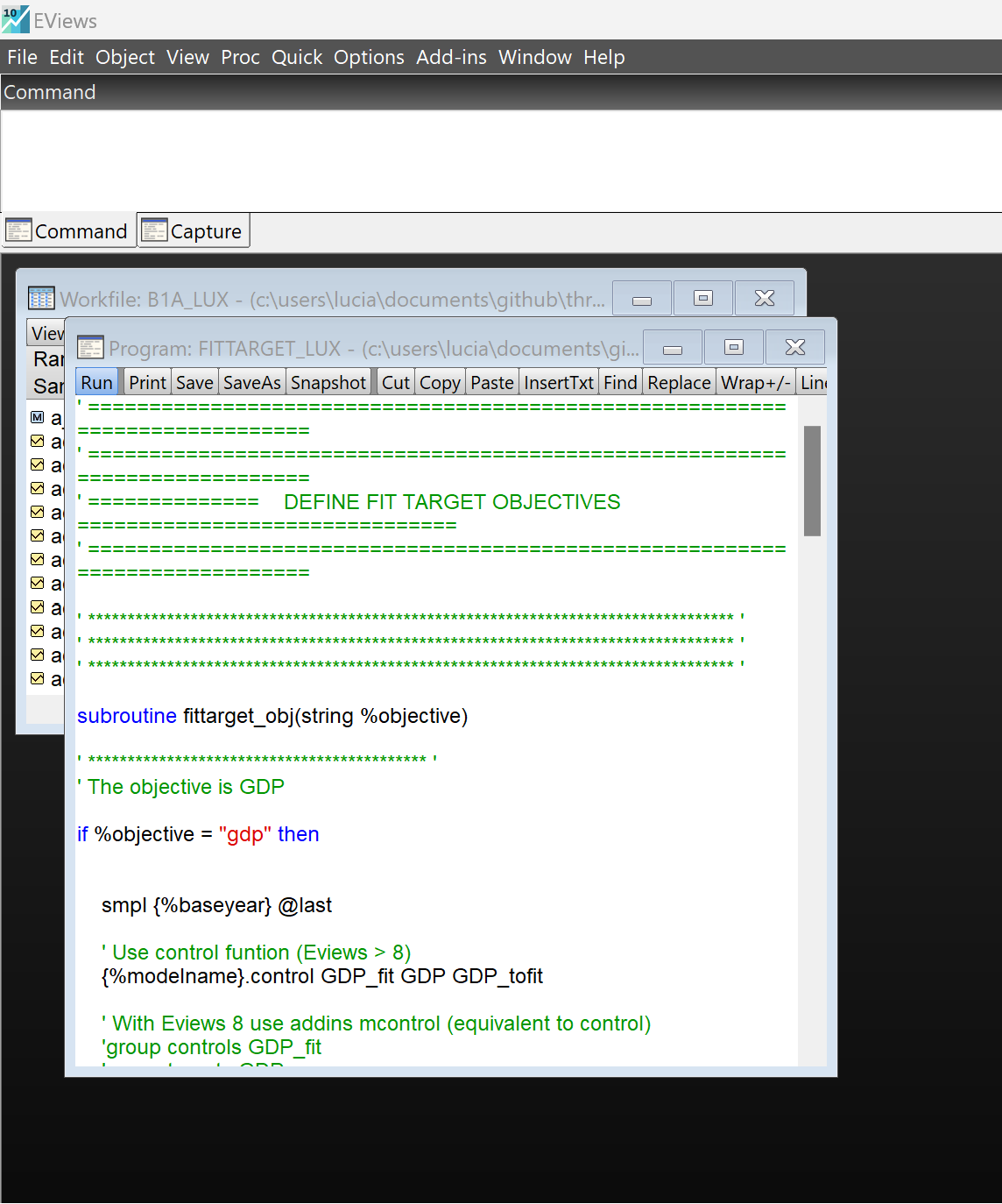
- Run the fittarget program
Run the fittarget_*.prg file clicking on Run in the top left of the .prg file window.
Look and compare the obtained results
Incorporate the results
Copy and paste the results obtained from the fittarget run on the excel sheet used to calibrate de shock. Run the shock again from the main.
3 Examples
- Fittarget ETS